How to optimize your product feed for AI shopping assistants
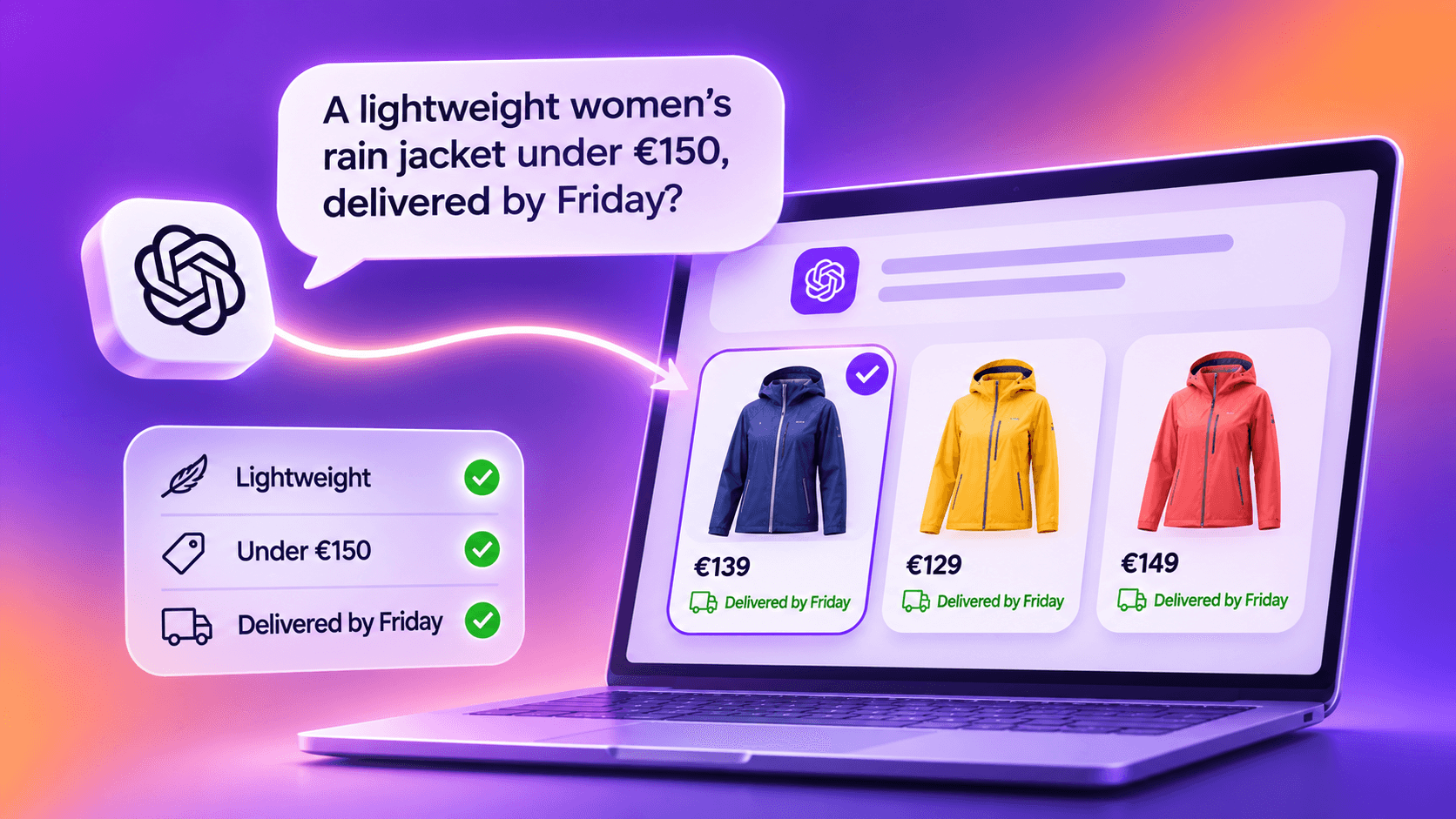
Ask ChatGPT for "a lightweight women's rain jacket under $150, delivered by Friday" and it won't browse your site the way a shopper does. It queries a catalog, filters on size, price and delivery time, then writes an answer featuring three or four products. If your listing says nothing about weight or shipping time, your jacket never makes the cut, however good it is.
This is no longer hypothetical. OpenAI launched Instant Checkout and the Agentic Commerce Protocol on September 29, 2025, with a public product feed spec. Google announced the Universal Commerce Protocol in January 2026 to power checkout in AI Mode and Gemini. Perplexity has offered in-answer purchases through PayPal since November 2025. Three entry points, one raw material: your product data.
Your feed is now your product page
For fifteen years, the Google Shopping feed existed to run ads. Teams filled the minimum, did SEO on the product page, and kept the two apart. Assistants break that split. They read the feed (or the catalog you send them) first, then, when they can, the page and its markup. Anything missing from both doesn't exist for them.
OpenAI's spec is blunt about it: one row per purchasable item, meaning one row per size or color variant, a stable item_id, and updates accepted every 15 minutes. Stock and price matter as much as copy. An assistant that recommends an out-of-stock product is wrong once; after that, it has a reason to distrust the source.
Titles that answer a query, not a tagline
OpenAI and Google Merchant Center both cap titles at 150 characters. The constraint isn't length, it's order. An assistant compares products side by side: it needs the brand, the product type, and the attributes that separate one option from another, in that order.
Before: "Horizon Jacket – Winter Collection".
After: "Horizon women's rain jacket, 280 g, 10,000 mm waterproof, taped seams, navy".
The first title speaks to someone who already knows the brand. The second answers the query above. Three rules cover most of it:
lead with what you sell (product type, audience), not the collection name;
put numbers on anything measurable: weight, dimensions, capacity, compatibility;
drop words that filter nothing: "premium", "best-seller", "new".
Descriptions written for follow-up questions
A shopping conversation doesn't end with the first query. The user follows up: "does it fit in a backpack?", "is it machine washable?", "what's the return policy?". The assistant looks for the answer in your description. If it isn't there, it moves to a competitor who wrote it down.
OpenAI asks for plain-text descriptions, no HTML, up to 5,000 characters. Nobody needs all 5,000. What a good description does is answer the objections your support team hears every week. Pull the ten most frequent customer service questions for a category and check that every listing answers each one in a single factual sentence. It's the highest-return task on this list, and the one teams skip most.
What doesn't help: mood paragraphs ("brave the elements in style"), unverifiable superlatives, and sentences copied from one listing to the next. An assistant looking at twenty identical descriptions has no reason to prefer any of them.
Attributes are where filtering happens
Copy helps the assistant understand. Attributes let it filter. Check, in this order:
identifiers: GTIN and MPN present and correct. They let platforms match your offer with other sellers' and with reviews;
price and availability: current, consistent with the page, sale price only when it's real;
shipping and returns: times, costs, countries. Often the deciding criterion in the query ("delivered by Friday");
variants: size, color and material in their dedicated fields, not only in the title;
category: the most specific Google product category available.
In 2026 Google announced dozens of new Merchant Center attributes built for conversational shopping in AI Mode and Gemini. Keep an eye on the Merchant Center documentation rather than waiting for them to become mandatory.
Schema.org markup on the page
Your feed serves the platforms you have an agreement with. Your page is read by everyone else: AI crawlers and assistants browsing on a user's behalf. Product markup in JSON-LD is still the simplest way to hand them the same facts without ambiguity.
The useful minimum: Product with name, description, image, brand, gtin, and an Offer with price, priceCurrency, availability. Add shippingDetails (OfferShippingDetails) and hasMerchantReturnPolicy: Google documents both for merchant listings, and they match the follow-up questions shoppers ask. If you show reviews, aggregateRating must reflect the reviews visible on the page.
One rule outranks the rest: markup, page and feed must say the same thing. $129 in the JSON-LD, $139 on the page and $119 in the feed means three sources contradicting each other. Google can disapprove products over price mismatches, and nothing suggests other platforms are more forgiving.
Where to start
Don't rewrite the whole catalog. Take your 50 top-revenue SKUs, check GTIN, price, stock and shipping, rewrite titles, then fill descriptions with your support questions. Add the missing markup on those same pages. Then measure what you can: approved-product rate in Merchant Center, and referral traffic from chatgpt.com or perplexity.ai in your analytics.
What nobody measures cleanly yet is how many recommendations you lose inside assistant answers. Tracking tools exist, but the methods are still shaky. Clean data is the one part of the problem fully in your hands.
FAQ
Do I need a separate feed for ChatGPT and Google?
The core is the same (title, description, price, GTIN, stock). OpenAI's spec adds its own fields and requires OpenAI's approval to submit a feed. A clean Merchant Center feed does most of the work.
Is my Shopify store already visible?
Shopify says it syndicates merchant catalogs to several AI platforms. Still check your titles and descriptions: the platform passes on what you wrote, nothing better.
Is structured data enough without a feed?
It helps assistants that read your page. For native checkout in ChatGPT or AI Mode, you need each platform's merchant program.
Get our 2 articles a week
The best of paid media and applied AI, straight to your inbox. Zero spam, unsubscribe in one click.